
Searching for basic tips and tricks for Sage Intacct? Learn how to log in to Sage Intacct and other admin tips efficiently.
Signing Into Sage Intacct
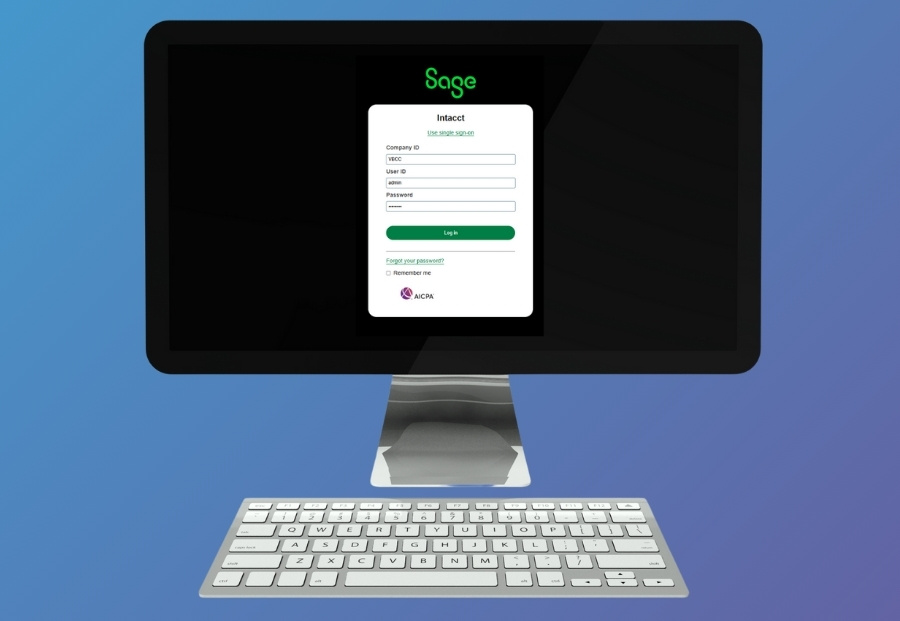
Sage Intacct is a cloud-based accounting platform, so you don’t need to log in through your company’s server. To log in to your Sage Intacct database, visit: https://www.sageintacct.com/login
To further protect your login credentials, bookmark the direct link above to avoid logging into Sage Intacct through third-party sites or search engine ads you can’t 100% trust.
Log-in Troubleshooting: Quick Fixes
- Triple-Check Your Credentials
- Ensure your Caps Lock is off, and there are no extra spaces. Remember that passwords are case-sensitive.
- Using “Forgot Password” or “Forgot Username.”
- Both options are available on the login page. Reset links will be emailed to the address you use for your account. Emails may take a few minutes to reach your inbox. Be sure to check your spam folders in case your email is redirected.
- Trying Different Browsers or Clearing Cache
- Sometimes, browser extensions, updates, or cache can interfere with credentials. Try Chrome, Edge, or Firefox for the best results. You can also use a private or “incognito” window to log in.
- Two-Factor Authentication Not Working?
- Check your mobile app or device for the latest code. If needed, an admin can reset MFA for you.
- Check your mobile app or device for the latest code. If needed, an admin can reset MFA for you.
What To Do When an Employee Leaves
If an employee leaves your company, do not log in using their credentials. Instead, try the following:
- Deactivate the employee’s account in Sage Intacct under Company → Admin → Users
- Avoid reusing their login to maintain clean audit trails
- Re-assign responsibilities to a new employee/user with the correct permissions.
VBCC can also help in the off-boarding process to ensure your database is clean, secure, and compliant.
Make Sage Intacct a Breeze with Your VBCC Team
Logging into Sage Intacct can be simple—if your platform is set up correctly. But that’s not always the case.
Here’s how VBCC supports clients beyond the login screen:
- User setup, roles, and permission configuration
- Custom dashboards and reporting
- Integration with other platforms like inventory, CRM, or payroll
- Troubleshooting dimension issues or broken workflows
- Hands-on training and onboarding for new users/employees
Whether you’re in the healthcare, nonprofit, or construction industry, we help tailor Sage Intacct to your specific needs.
Getting Started with Sage Intacct
If you’re getting started with Sage Intacct, your software admin (or partner like VBCC) can:
- Create your user profile
- Assign your roles and dimensions
- Send a welcome email with login instructions
Once you log in, you’ll see a personalized dashboard and access the modules relevant to your job role.
Helpful Links
- Sage Intacct Login: https://www.sageintacct.com/login
- Forgot your password or username?
- Use the reset links on the login page
- Need help with roles, setup, or cleanup? Contact VBCC
Let’s Make Sage Intacct Work for You
At VBCC, we help organizations like yours get more from their Sage Intacct investment—from login to long-term optimization. From onboarding new team members, cleaning up user roles, or fixing broken setups, we can help.